
Overview
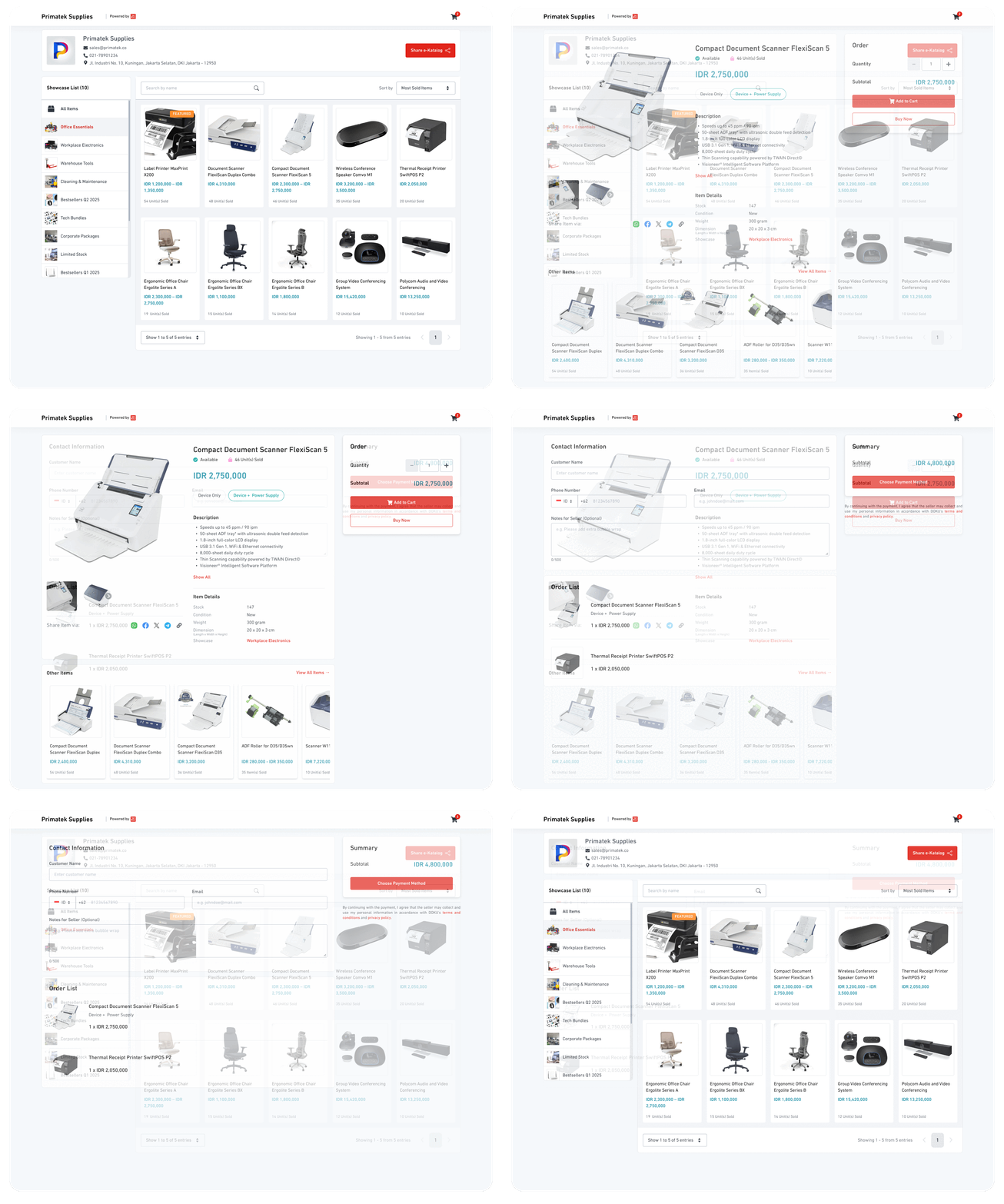
Digital Catalog is an online catalogue that allows merchants to showcase their products or services without complex integration. It enables easy selling without a website, simply share a link or QR code via social media, WhatsApp, or other channels.
Setting up the Digital Catalog is simple. Here’s a quick overview of how it works for both merchants and customers.
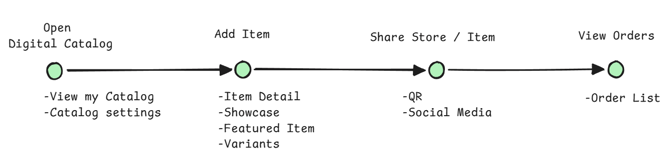
Merchant General flow
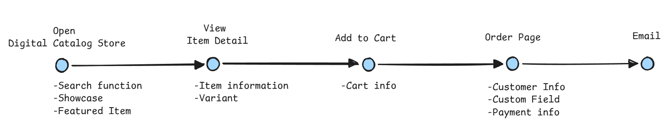
Customer General flow
See how the new Digital Catalog compares to the legacy senangPay Product Link.
|
Feature |
senangPay (legacy) |
senangPay-DOKU (new) |
|
Catalog Concept |
Per product link |
Shopping cart concept |
|
Variant |
Limited to size variant |
Allow merchant to custom their own variant, up to 2 type (Parent and Child) |
|
Featured Item |
- |
Supported up to 5 featured item, that will be pinned in the top of the store |
|
Showcases |
This is the conversion from Product Collection |
A group of items that share similarities, such as related products or items for a specific event |
|
Publication Period |
- |
set the time when the item want to be publish with option
|
|
Sharing |
Link |
Link, Social Media, QR Code |
|
SST |
Set SST per Link / product |
Set SST per product. Items with different SST can be added in the same cart: |
|
Delivery Address |
Manual Delivery Address with 2 options |
Manual Delivery Address with 2 options |
|
Custom Field |
Merchants can easily add custom fields (text or dropdown) for each item to collect the information they need from customers. |
Merchants can easily add custom fields (text or dropdown) for each item to collect the information they need from customers. |
|
Delivery Charge |
Set delivery charges in two ways:
|
Enjoy a simpler, standardised delivery setup.
|
Check out the following guides to get started:
- How to set up your Digital Catalog in the DOKU dashboard
- See how customers experience the Digital Catalog you share