
For New Merchant Sign Up
Ready to start accepting online payments? Follow the steps below to register as a new senangPay-DOKU merchant.
1. Choose a Plan
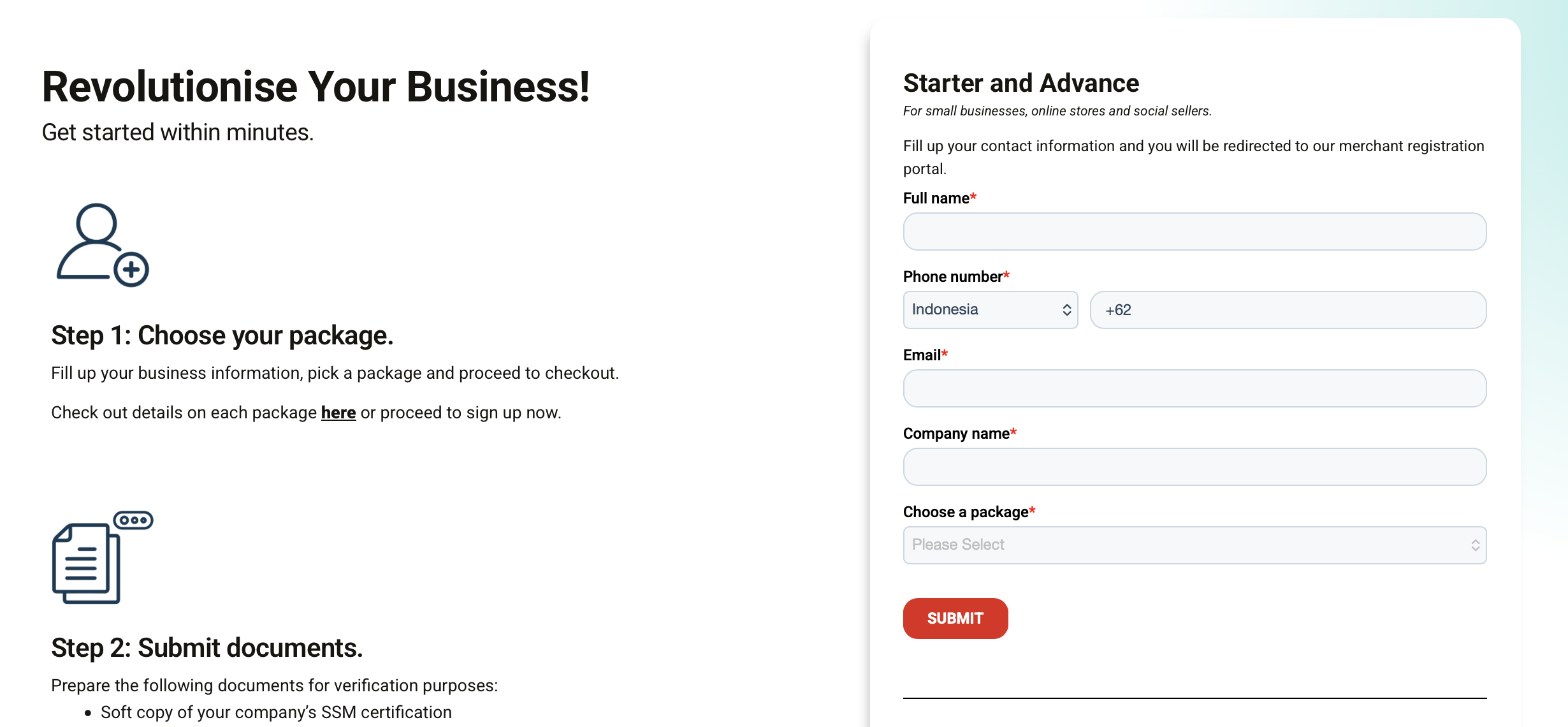
Option 1: Starter or Advance Plan
If you'd like to subscribe to the Starter or Advance Plan:
- Visit www.senangpay.com/register.
- Complete the online registration form with your business details.
- You will be redirected to the DOKU registration portal to complete your business information and subscription payment.
- Submit your application and upload all required documents for verification.
- Our team will review your application and guide you through the onboarding process.
Option 2: Enterprise Plan
If you're looking for customised pricing, features, or enterprise-level solutions, choose the Enterprise Plan instead.
- On the same www.senangpay.com/register page, scroll down to the Enterprise Custom section.
- Click Schedule a Meeting.
- Our sales representative will contact you to understand your business requirements and recommend a tailored enterprise package, while assist you to complete the registration process for the Enterprise plan.
2. Completing Your Business Information
Follow these steps to create your merchant account:
- Fill in the required information on the first step of the registration process, including creating a password for your account.
- Review and agree to the Terms & Conditions and Privacy Policy, then click Next.
- Verify your email address by entering the One-Time Password (OTP) sent to your registered email.
- If you don't see the email in your inbox, please check your Spam or Junk folder.
- Once your email has been verified, select your preferred subscription plan and complete the payment.
- After successful payment, your Business Account will be created. You can then proceed to submit the required business documents to complete the onboarding process.
Tip: For a more detailed walkthrough of each step, refer to our Account Registration Guide.

For Existing Merchant to Create New Users
If you already have a senangPay–DOKU merchant account, you can skip the registration process. Simply log in to your DOKU Dashboard and create additional user account(s) by following the steps.
Need to Test Before Signing Up? Create a DOKU Sandbox Account
Want to explore senangPay-DOKU before registering as a merchant? Create a Sandbox Account to simulate payment transactions and experience our platform in a secure testing environment.
Follow the step-by-step guide below to create your senangPay-DOKU Sandbox Account and start testing our payment services and features.
- Visit DOKU Sandbox Registration page
- Complete the registration form and create a password for login purposes.
- Review and agree to the Terms and Conditions and Privacy Policy, then submit the form
- Once your registration is complete, your Sandbox Account will be created successfully. You can then log in using the credentials you created during registration.
