
In our new Digital Catalog, shipping fee settings will now be managed differently to provide a smoother and more flexible checkout experience for your customers.
Delivery Fee Configuration: senangPay vs DOKU
| Previously in senangPay Product Collection Form (legacy): | With the new DOKU Digital Catalog (new): |
|
|
⚠️ Important: As a migrated senangPay merchant to DOKU, please click here to understand the changes to your delivery fee configuration, along with the steps to review and update your shipping fee settings after migration.
How To Configure Delivery Fee
- Go to Digital Catalog Settings > Delivery Rules
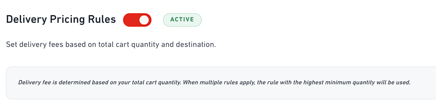
- Ensure Delivery Pricing Rules is activated to enable delivery fee settings based on the predefined delivery locations.
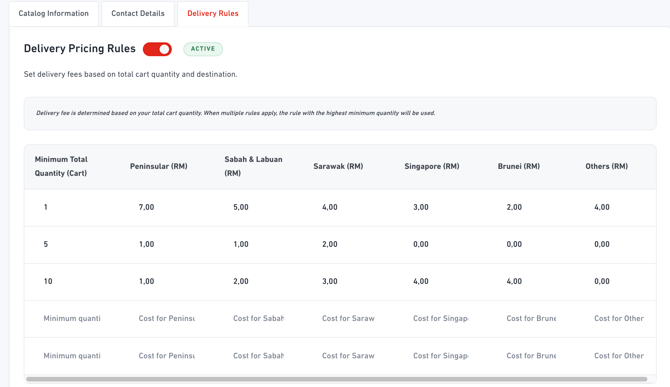
- You can now configure delivery fees and minimum cart quantity based on your business preferences.
- Simply update the values directly in the table on your dashboard to customise your delivery pricing rules, then click Save once completed.
senangPay to DOKU Migration Merchants
The new Digital Catalog uses a different delivery fee configuration structure compared to the legacy senangPay Product Collection Form.
To ensure your shipping charges remain accurate after migration, we strongly encourage merchants to review and update their delivery fee settings based on their actual business requirements.
As part of the migration process, the highest existing shipping fee configured in senangPay will be carried over as the default shipping fee in the new Digital Catalog, which may result in some differences from your previous setup.
If you are currently using delivery charges in senangPay, we encourage you to:
- Review your migrated shipping fee settings in the DOKU dashboard.
- Update your preferred delivery pricing configuration if needed.
- Test your checkout flow to ensure the delivery charges match your business requirements.